POSTGRES WORKSPACE
Use a database as a workspace
Open a database workspace in FolderAsk, configure the connection, choose the tables to include, complete the initial business analysis, and then ask questions naturally.
Last updated: April 13, 2026
FolderAsk can now treat a database as a first-class workspace, not only a local folder.
Once the workspace is configured, users can ask questions over business data naturally and receive either direct answers or structured tables.
Steps
Open Database from the home page
From the FolderAsk home page, click the entry that opens the database workspace flow.
This starts the database setup process instead of the usual local-folder workspace flow.
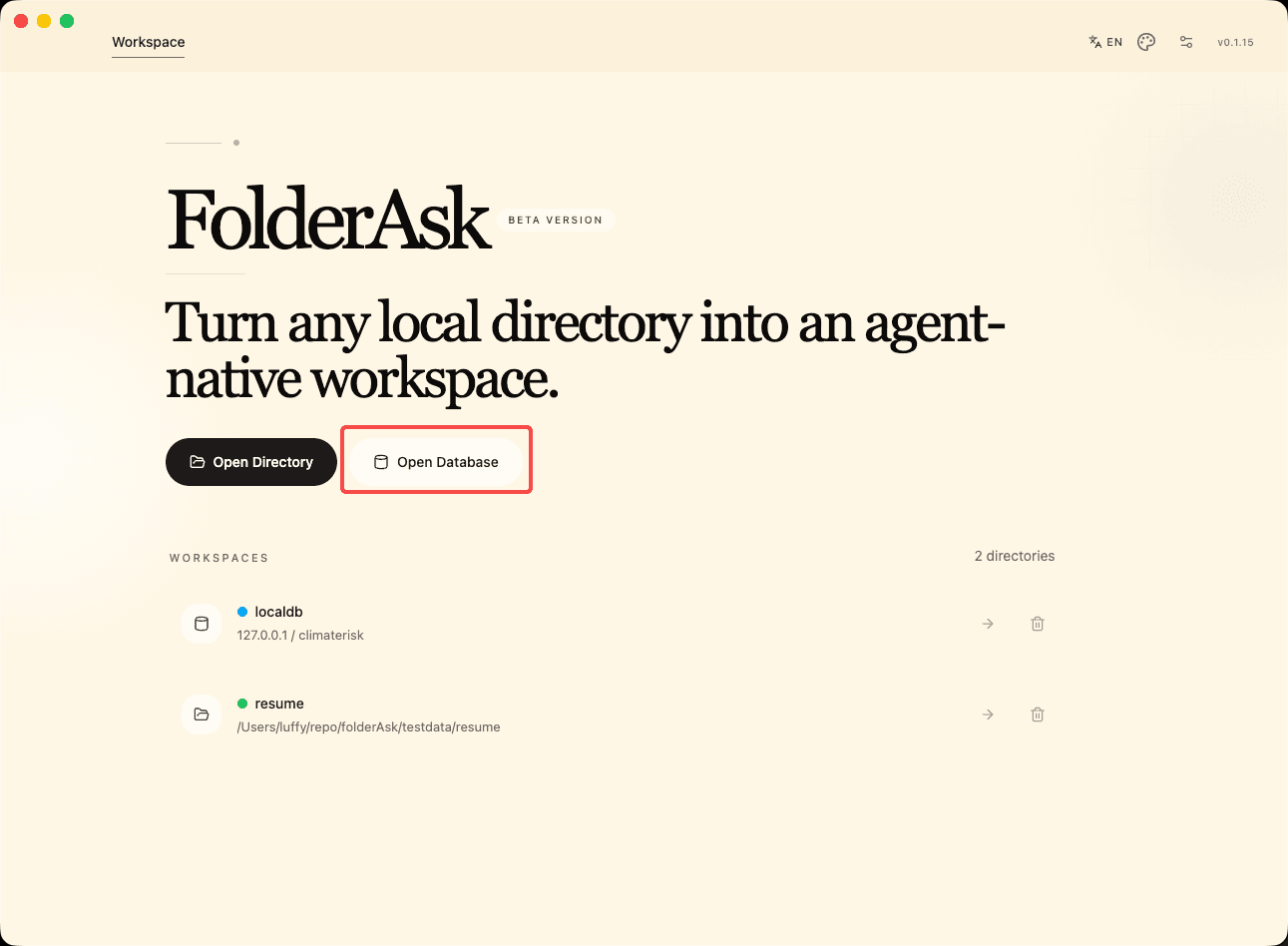
Open database workspace
Start from the home page and enter the database workspace setup flow.
Configure the connection and choose the tables to include
Fill in the database connection details required by the app.
After the connection is available, choose which tables should be included in the workspace so FolderAsk focuses on the right business data.
Keep the selected table scope as narrow as practical if the database is large.
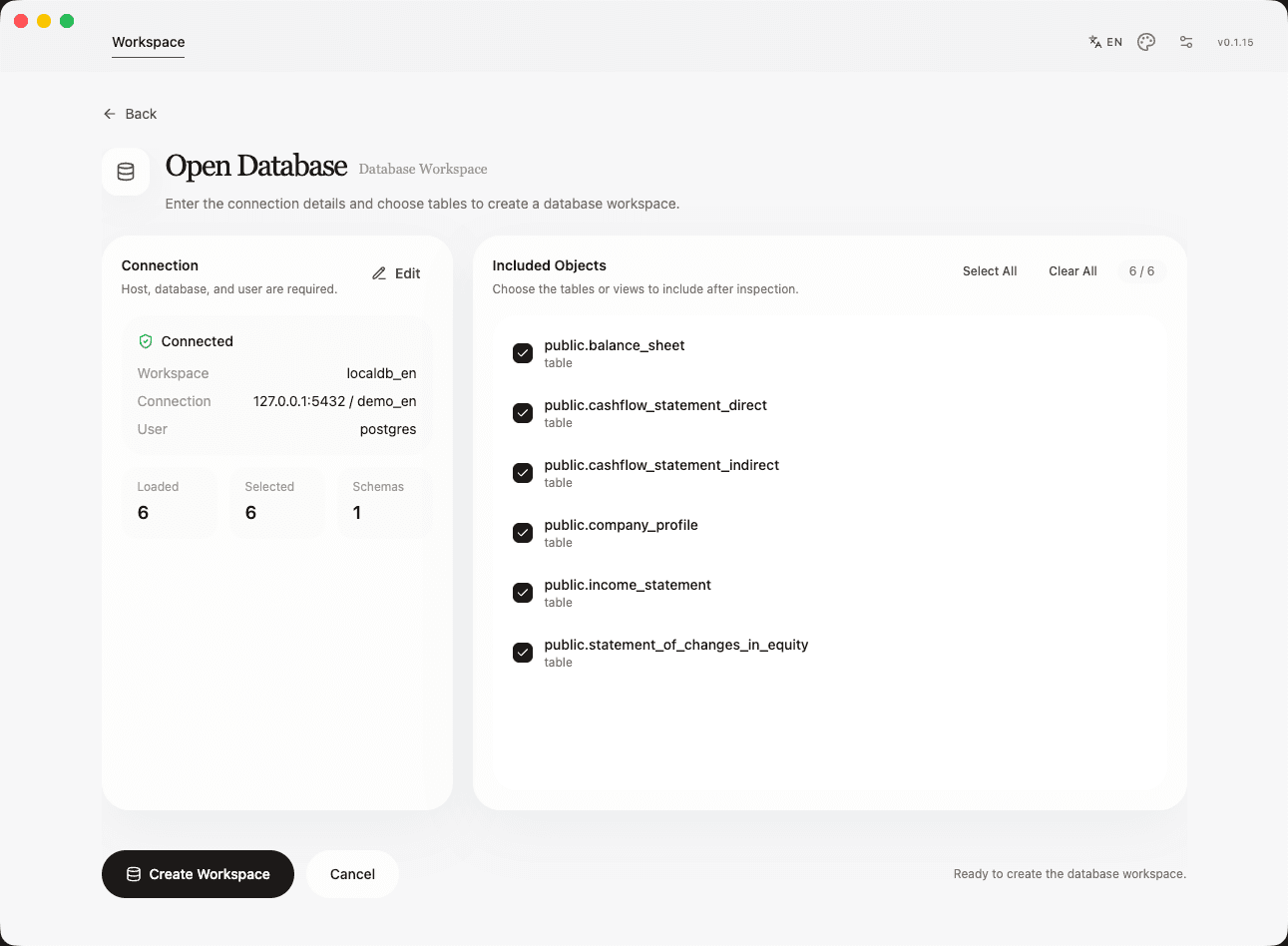
Connection and table selection
Configure the database connection and select the tables that should become part of the workspace.
Click Analyze to initialize the database business context
After the connection and table scope are ready, click the analyze button to let FolderAsk initialize its understanding of the database business context.
During this process, the app may ask the user several questions so it can clarify business meaning, terminology, or important analytical dimensions.
Complete those answers so the workspace can finish the business analysis setup.
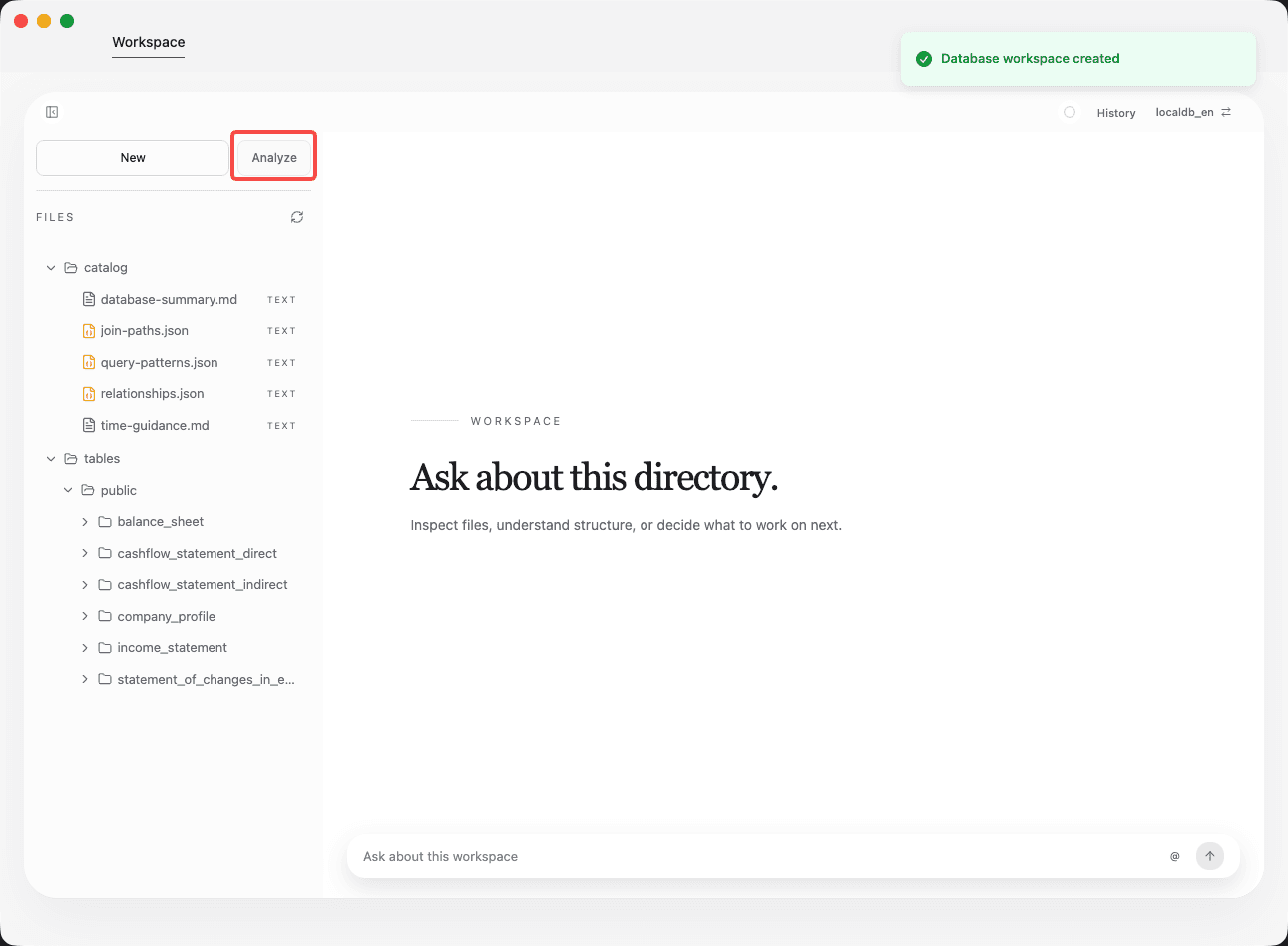
Initialize business analysis
Click Analyze, then answer the follow-up questions so FolderAsk can complete the initial business understanding of the database.
Ask questions naturally
After initialization is complete, users can ask natural-language questions directly against the database workspace.
When the answer is better expressed in rows and columns, FolderAsk can generate a structured table as part of the response.
You can continue refining the output with follow-up questions based on the first result.
Best practices
Use read-only credentials for production databases whenever possible.
Only include the tables that are relevant to the workspace goal so the initial business analysis stays focused.
Answer the initialization questions carefully, because they shape how FolderAsk understands the business meaning of the data.
If a result looks wrong, first narrow the question to one metric, one time range, or one business entity before broadening again.