MODEL SETUP
Free usage and provider setup
How free usage works in FolderAsk and how users can continue by configuring their own provider.
Last updated: April 8, 2026
FolderAsk itself is completely free to use.
Each user gets 10 free Q&A requests. After that, you can continue by choosing and configuring your own model provider and API credentials.
Steps
Open settings and go to model configuration
Open FolderAsk and go to the settings or model configuration area in the app.
This is where you can review your free usage and connect your own provider when you want to continue after the included quota.
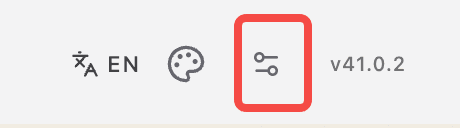
Settings entry
Open the settings area first, then continue to the model configuration section.
Choose your provider
Select the provider you want to use, based on your own account and billing relationship.
FolderAsk does not require a fixed provider. The configuration is user-controlled.
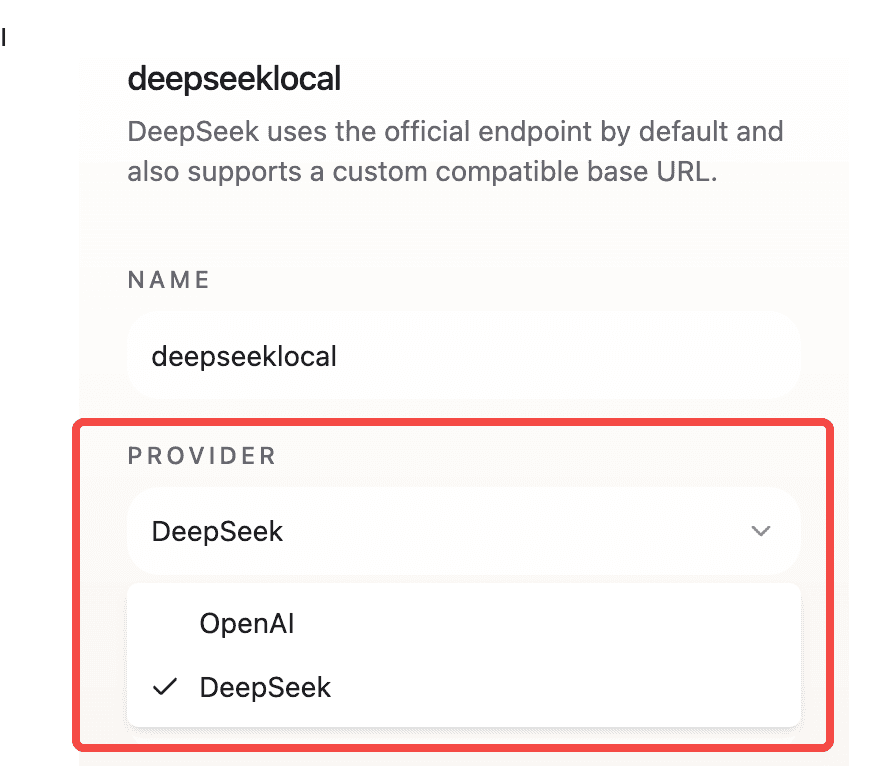
Provider selection
Choose the provider you want to connect before filling in the credentials.
Enter API credentials and model settings
Paste the API key or other credentials required by your provider.
If needed, also enter the endpoint, model name, or any provider-specific fields shown in the form.
Check the values carefully before saving, especially if your provider uses a custom endpoint.
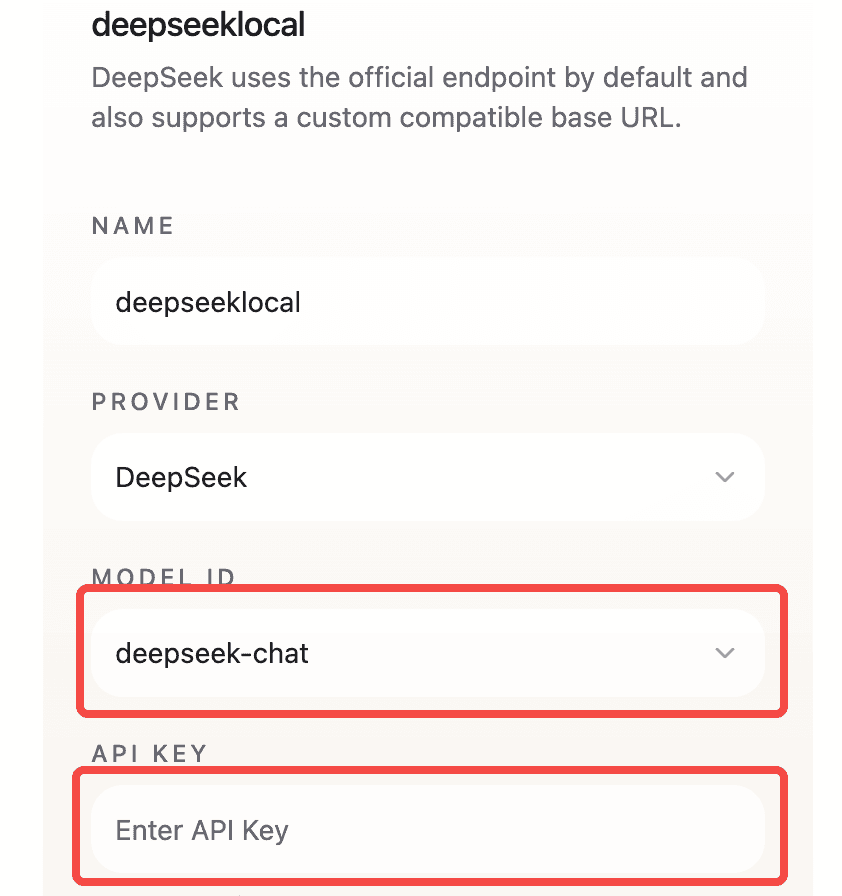
Credential form
Fill in the API key, model, endpoint, and other required fields for your provider.
Save and test the configuration
Save the provider settings inside the app.
If the app offers a test action, run it to confirm the credentials and model settings work correctly.
After the configuration succeeds, FolderAsk should be ready to continue using your own provider.
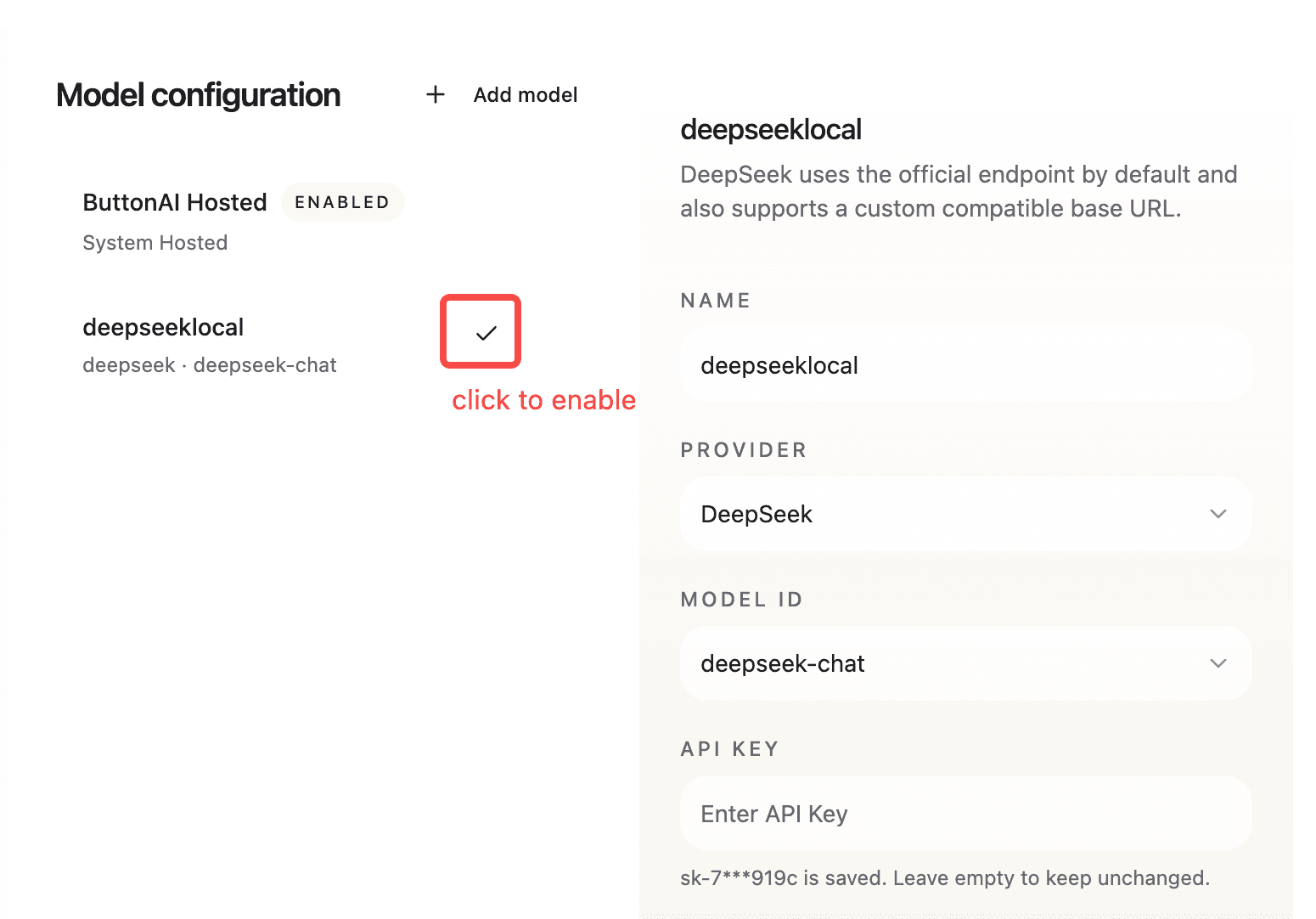
Save and test
Save the configuration and confirm the provider setup completes successfully.